로그인 처리에 필요한 리소스 준비
익명 계정을 발급~로그인까지 가능한 리소스를 준비해봅시다
GS2-Account 서비스 이용을 시작하기 위해서는 네임스페이스를 추가해야 합니다.
네임스페이스(이름 공간)는 하나의 프로젝트 내에서 동일한 서비스를 서로 다른 여러 용도로 이용할 수 있도록 하기 위한 구조입니다. 서로 다른 네임스페이스 내에서는 동일한 서비스라도 완전히 별개의 데이터 공간으로 취급됩니다.
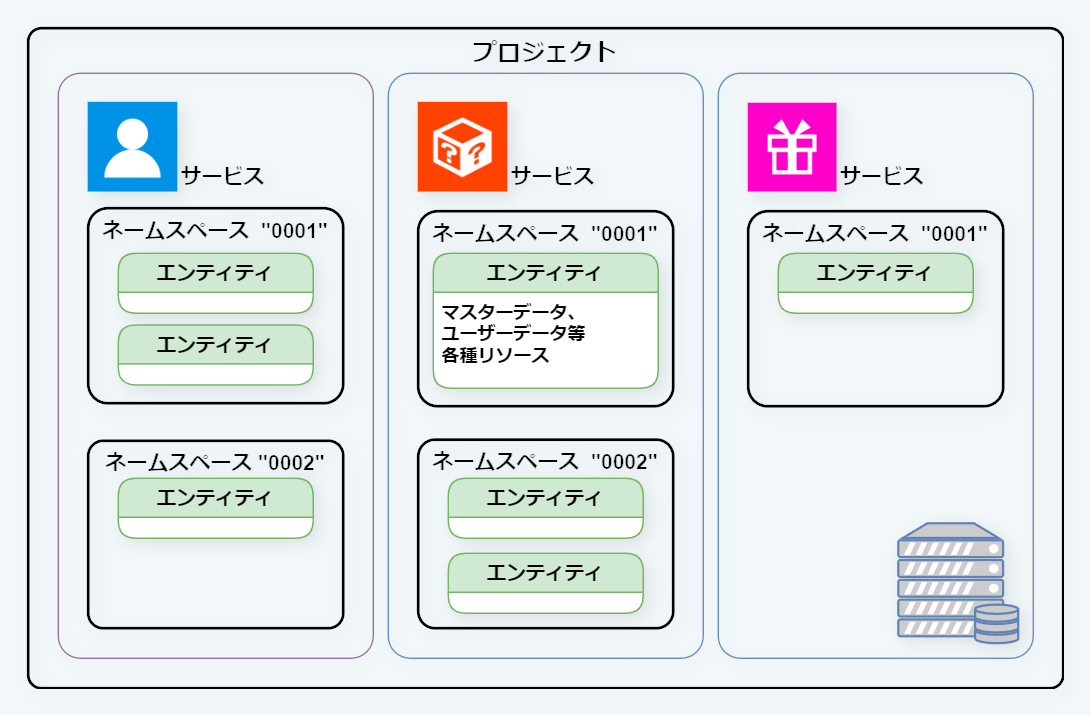
그럼, 샘플 템플릿을 사용해 GS2-Account 의 네임스페이스 이름에 game-0001을 추가하고, 계정 인증에 사용할 암호화 키를 발행하여 계정을 새로 생성할 수 있는 상태로 만들어 보겠습니다.
GS2-Deploy 로 리소스를 생성한다
GS2-Deploy 는 템플릿 파일(YAML 형식)을 바탕으로 여러 서비스의 리소스를 한 번에 생성·관리하기 위한 서비스입니다.
- 관리 콘솔 에 로그인합니다.
- 왼쪽 메뉴에서
Deploy를 선택하고Stacks를 클릭합니다. 스택 신규 생성을 클릭합니다.스택 이름에initialize-account등 임의의 이름을 입력합니다.템플릿 데이터입력란에 아래 템플릿의 내용을 복사하여 붙여넣습니다.생성버튼을 클릭합니다.
생성이 완료될 때까지 몇 초에서 몇십 초 정도 걸립니다. 상태가 CREATE_COMPLETE 가 되면 완료입니다.
GS2TemplateFormatVersion: "2019-05-01"
Description: GS2-Account initialize template Version 2010-06-26

Globals:
  Alias:
    AccountNamespaceName: game-0001
    KeyNamespaceAccountAuthentication: account-encryption-key-namespace
    KeyAccountAuthentication: account-encryption-key

Resources:
  KeyNamespaceAccountAuthentication:
    Type: GS2::Key::Namespace
    Properties:
      Name: ${KeyNamespaceAccountAuthentication}

  KeyAccountAuthentication:
    Type: GS2::Key::Key
    Properties:
      NamespaceName: ${KeyNamespaceAccountAuthentication}
      Name: ${KeyAccountAuthentication}
    DependsOn:
      - KeyNamespaceAccountAuthentication

  AccountNamespace:
    Type: GS2::Account::Namespace
    Properties:
      Name: ${AccountNamespaceName}

Outputs:
  AccountNamespaceName: !GetAttr AccountNamespace.Item.Name
  KeyAccountAuthenticationKeyId: !GetAttr KeyAccountAuthentication.Item.KeyId